Sunday, November 28, 2010

5 Small Biz Web Design Trends to Watch

This post originally appeared on the American Express OPEN Forum, where Mashable regularly contributes articles about leveraging social media and technology in small business.

The importance of having an attractive website that converts visitors into buyers and helps cleverly promote your small business is essential in these fiercely competitive times.

Your website has to capture a visitor’s attention, entice him or her to stay and browse around, create an interest in your product or service, and result in sales. For small businesses with limited time and budgets, design is an essential factor in both attracting and converting potential customers.

With this in mind, here are five current design trends that most small businesses can utilize to great effect.

Let us know in the comments below about any additional design trends that you have spotted in the small business world.


1. Minimalism


While this web design style has been popular for some time, it’s worth revisiting as no small business owner wants to turn visitors away with a cluttered, overbearing and hard to navigate website.

Minimalist design effectively strips away the excess and helps the user concentrate squarely on the content. If a page has too many elements, the user will easily become confused about where to focus on, with many elements vying for attention.

With page weight now affecting your Google search engine position, it’s the perfect time to reassess how streamlined your design is.

There are several principles and steps you can follow to create a more minimalist design:

  1. Go through your site and prune any unnecessary widgets or elements which aren’t serving a real purpose.
  2. Make good use of whitespace, which is the space between different elements of a design. Used well, it will allow for easier scanning of your site and help frame the elements on each page.
  3. With fewer elements, choosing the right color palette or accent color is critical. As color has great significance and meaning, it’s best to test how certain colors interact with each other.
  4. Browse your site through the eyes of your visitors, evaluating if there is too much information, confusing or off-putting elements, or sufficient calls to action. Answering these types of questions truthfully will help you prioritize the essential elements.
  5. A minimalist design doesn’t have to be bland and boring; it can easily be modern, fresh, sophisticated, elegant or refined, based solely on the details within the design.


    2. Unique Photography


    Two men shaking hands, a group of people in suits sharing a joke, the call center girl: these are all tired,clichéd images that litter thousands of business websites. These types of images fail to convey either information on the company or a sense of the site’s character, and are essentially meaningless.

    Using custom photography or artwork whenever possible is recommended, though for small business owners, both time and budget are limited and stock photos are a relatively cheap and accessible resource.

    So when choosing stock imagery, it’s best to keep in mind these four tips:

    1. Research your competitors and industry and take note of the images used. You can then find a unique way to represent your product or service.
    2. Avoid being too literal in your choice of imagery as abstract compositions often give a more dramatic and memorable effect.
    3. Don’t always opt for the cheaper low-res image, as pixelated imagery devalues your overall design and looks unprofessional.
    4. Veer away from the bland and predictable and let the images ‘break out of the box’.
    5. Imaginative imagery will reinforce your brand message and add greater character to your website. So, when you must use stock imagery, do so with great care and take the time to find the right piece that will convey the true personality of your service or product.


      3. Bold Typography


      Web design at its core is about communication, and typography is a vital component of that. Great web typography helps bring order to information and creates a coherent, visually satisfying experience that engages the reader without their knowing.

      A recent trend is the use of big, bold typography which helps to create contrast between other text while grabbing a user’s attention. Oversized text can help create hierarchy and ensure users understand your message loud and clear.

      In order to utilize typography to create a bold statement, keep in mind the following tips:

      1. Determine the single most important message you want to emphasize, as too many messages can lead to choice paralysis. Understand the qualities of the message you are trying to convey, and then look for typefaces that embody those qualities.
      2. Choose a typeface that will match the character of your work. For instance, if your company embodies the feel of an Old Style font, you should consider Bembo, Garamond and Sabon. It will also greatly depend on what you want to convey with the type, because legibility is as important as the character of the type.
      3. Give the typography the prominent position it deserves by surrounding it with a generous amount of whitespace. This will add emphasis and create even more focus on the typography.
      4. Test out some of the various font replacement options such as Typekit or Typotheque. These allow you to license fonts to embed within your site, and help you to experiment with beautiful typography.

      Typography is an art and the decisions you make are subjective; however, carefully selecting a typeface can make a huge difference to the quality of your design.


      4. Clear Calls to Action


      As a small business owner you want your visitors to complete a certain task when they land on your page. It could be to download, sign up or checkout, but these calls to action are one of the most important (and overlooked) elements in a small business website.

      You want to grab your visitor’s attention and move him or her to take action. Crafting a clear, concise call to action is essential.

      Here are four tips to keep in mind when designing a call-to-action button or advertisement:

      1. Language: Keep the wording short and snappy (always start with a verb), but also explain the value behind the action the user is taking. In some instances it also helps to create a sense of urgency using words such as ‘now’, ‘hurry’ and ‘offer ends,’ with ‘free’ being the number one incentive.
      2. Positioning: Ideally, calls to action should be above the fold, and be placed on every page of the site in a consistent position. For instance, Squarespace (shown above), not only has a large call-to-action button at the top of the page, but also has a slightly smaller button in the footer of every page.
      3. Color: The color should make the call stand out from the rest of the design. Brighter, more contrasting colors usually work best for smaller buttons. For larger buttons, you may want to choose a less prominent color (but one that still stands out from your background), so as to balance out its size.
      4. Size: The call-to-action button should be the largest button on any given page. You want it to be large enough to stand out without overwhelming the rest of the design

      .

      It’s vital you test different combinations of call-to-action buttons and see how each affects your conversion rates (see A/B Testing below). It’s also best to make sure they fit within your overall design.


      5. A/B Testing


      With competition growing fiercer online, it’s important for small businesses to have a website that converts visitors to buyers and creates a competitive edge. That’s why it is important to continually measure and improve site performance, usability and conversions.

      One of the foremost ways of optimizing your web design is via A/B testing (sometimes referred to as split testing). An A/B test examines the effectiveness of one landing page over another. The two versions are randomly shown to site visitors to see which generates the best results. You then evaluate the performance of each and use the best version.

      Various elements can be tested, including, layouts, copy, graphics, fonts, headlines, offers, icons, colors and more. Here are a few tips for A/B testing:

      1. Clearly define your goal before beginning any test. For example, if you wanted to increase sign-ups, you might want to test the following: type of fields in the form, length of the form, and display of privacy policy.
      2. Start with elements that will have the biggest impact for minimum effort. For instance, you could tweak the copy on your checkout button to see if conversions can be improved.
      3. Don’t use A/B testing in isolation as this alone won’t give you a well-rounded picture of your users. Instead, use other feedback tools, such as Feedback Army or User Testing, in conjunction with A/B testing to get in-depth analysis of user behavior.
      4. A/B testing won’t make a bad design great, but it will prove an effective aid in optimizing your current design’s usability and conversions until you decide to overhaul your website design completely.

        These are just five web design trends that small businesses can take part in to enhance their websites. Which web design changes would make the most sense for your small business?

How To: Communicate the Needs & Expectations to Web Designers

Know What a Designer Does


Before you even begin talking to a designer about what you want done, it’s important to understand what a designer actually does. Misunderstandings between designers and clients can often be traced back to misconceptions about roles and false expectations.

“Designers and clients should both understand the difference between design and production,” says graphic designer BJ Heinley. “Designing a logo and a business card is different than getting them printed. You hire a designer for her opinion and knowledge in a particular area, and you’re asking her to help you navigate waters that you don’t feel confident wading into alone. You hire production and development people to get something done in the best and most efficient way possible.”

This can get confusing since sometimes the design and production sides of the process are handled by the same person or company. Still, it is important to know which parts of what you’re asking a designer to do are design, and which parts are something else. Boundaries should be set to isolate one aspect from the other.


Think About What You Really Want


In order to accurately and clearly convey what you want to a designer, you really need to think about what it is you need and desire out of whatever it is you’re having designed. Think about what sort of functionality you want your users to get out of the design, what information you need to convey, and what sort of feeling you want to evoke.

“Examples are the easiest way [for clients] to share what they’re looking for,” says freelance web designer David Ronnie. “That doesn’t, however, mean for them to send over a website from a competitor and say ‘I want this,’” he warns. According to Ronnie, you should think about why you like a particular design and how it relates to what you want. Pay special attention to the functionality of the websites you like and what makes you like them — it might even be helpful to show the sites you admire to friends and colleagues and gauge their reactions. What about those sites do people actually like?

“We’re more interested here in why it appeals from a functionality standpoint than [...] about the aesthetic. This will help the designer immensely with understanding what the client is really looking for on their website,” says Ronnie.

Heinley likes to employ familiar analogies, like comparing a website to a car, as a way to draw from clients what they’re really looking for. “I’ll often ask questions like: Why are the turn signals where they are? Why is the steering wheel round and not square? Why put the speedometer where it is?” he says. “These real-world examples have parallels on a website: Where is the logo placed on the page and why? Where are a search box and button placed on a page? What type of navigation should or shouldn’t be used? After a few minutes of this, the client is usually clearer on some of the design considerations.”

Try that exercise on your own before speaking with your designer. You’ll find yourself armed with a better understanding of what you actually want.


Consider Content


“Any forethought and planning of content and navigation previous to meeting the designer can help immensely with the company’s job,” counsels Ronnie. Content is an oft-overlooked part of website design, but critical for the majority of sites. The point of a website for most small businesses is to get a message across and facilitate some action: sales, sign ups, attendance, etc. Thought should be paid to what it is you want to sayon your website and what your goal is.

That process “is very much about setting priorities and establishing hierarchies,” says Ronnie. “Make priority lists and figure out what’s most important for your visitors to find. The more thought-out the content and structure is before ever contacting the designer, the better it will be for all parties involved.”

That doesn’t mean you have to write out all of your content before you hire a designer, or even before the designer starts designing, but knowing what you want to say, what your goal is, how you want to say it, and where different types of content fit in, will help the process go smoothly. Also, remember that content can include more than just written words — if you want to utilize video, podcasts, photo galleries, or any other type of rich media on your page, you should have a good idea of what you need before you talk to a designer.


Trust Your Designer, Give Up Control


One of the hardest things for a client to do, but one of the most necessary, is to give up control. That doesn’t mean you won’t get what you want or that you can’t offer feedback, but micromanaging the design process is a terrible idea. You’re hiring a designer because you value her expertise and skill, so trust her to take your initial input and create something that works.

Designer Jesse Thomas says that clients should hand over control along with the list of things they want. “I like to think about my job like a surgeon,” he says. “You don’t come in to the office of a surgeon and say, ‘I want this kind of cut, and I want you to do this many stitches.’ You come in bleeding, and let the man fix you.” Thomas says part of being a great designer is earning trust and being aggressive with clients about handing over control.

Heinley agrees. “It’s often said that you hire a designer to say, ‘No.’” While it’s important for designers to be receptive to feedback and suggestions from their clients, says Heinley, it’s also important for clients to realize that “a designer’s role is to have more experience in the field of design, passionately pursue the best path possible, use informed opinions, and approach the project from a user’s perspective.”

In other words: designers know design, so it’s best to get out of the way and give them freedom to create.


Talk Money and Terms Beforehand


Of course, working with a designer isn’t all talking about form and function, there’s a healthy component of business, as well. So that there are no surprises, the business end should be clearly defined and gotten out of the way before any actual design production takes place, and before any money changes hands.

“There’s nothing worse than getting to the middle or end of a project and finally getting around to discussing payment. Here’s the key: talk about money and deadlines up front. No work should be done until payment prices and terms are agreed upon,” says Heinley, who advises that some sort of contract always be signed, even for small jobs.

It’s also important to realize that design is a difficult endeavor to price. “Due to the nature of exploration and innovation in design, projects sometimes will have unforeseen costs and time,” says Heinley, who often provides clients with a range rather than a fixed price.

Getting everything down on paper before you start will help you avoid headaches later.

Thursday, November 25, 2010

Zediva Streams You Movies From Actual DVD Players, Argues It’s Legal

New startup Zediva attempts to circumvent all the licensing hassles experienced by streaming video services like Netflix, iTunes and Hulu through operating more like a traditional movie rental store, except online.

The catch? “We don’t rent digital copies of a movie,” founder Venky Srinivasan told Rotten Tomatoes, “Our users rent a physical DVD, along with a DVD player from us for a fixed amount of time. They then control that DVD player remotely over the internet — and stream the movie privately to themselves. Think of it as a really long cable and a really long remote control.”

The “really long cable” that is the Internet means not having to negotiate with content companies over streaming rights. This loophole means that Zediva can feature more recent releases at a lower price than companies who stream digital files, charging $1.99 for a movie versus $3.99 on iTunes and Blockbuster. Ten movies on Zediva are $10 versus a $7.99 monthly membership to Netflix. Users can freely re-rent a Zediva movie for up to 14 days.

It seems like Srinivasan is serious about the physical DVD legal hack. When I visited the site the movie I wanted to rent, Eat Pray Love, was all rented out, just like in a real brick and mortar store. You can even request to have your physical DVD mailed to you Netflix style, even though “additional charges may apply.”

With around 40 movies in the library at the moment, Zediva is starting small and focusing on offering “the top two or three movies of the week.” Srinivasan doesn’t think the startup is breaking digital copyright law, and in fact believes that movie studios will embrace the model. Well, here’s to being hopeful, and disruptive.

Interesting concept. Ask about our free PC Check! Business Remedy is the leading Houston IT Support & Houston Managed Services provider here to help via the web (http://BusinessRemedy.net), email (info@BusinessRemedy.net), or phone (832-261-4113). We are standing by to help you with all of you Technology requirements.

Wondershare Video Studio Express 1.2.0 is designed for Windows users to edit SD & HD video clips to make Hollywood-like movies with background music and transition effects.

Wondershare Video Studio Express 1.2.0 is designed for Windows users to edit SD & HD video clips to make Hollywood-like movies with background music and transition effects. Even beginners can easily edit creative videos to upload directly to YouTube website, or export to iPhone, iPad and iPod for share with the help of this video editing software. Key features: Edit video & audio independently by trimming, splitting, merging, cropping and rotating Add/edit background music and transition effects to personalize your videos Enrich your video by adjusting brightness, contrast and saturation Directly upload your edited video to YouTube website for share Output video clips for playback on portable devices like iPhone, iPad, PSP, iPod, Wii, Zune, etc. Various SD & HD formats for input and output Importance: To activate the software, you are requested to register on the manufacturer’s page (full version, free of charge). Then you can get a registration code, with which you can activate the software. Download Here

Happy Thanksgiving! Get this today for free! Ask about our free PC Check! Business Remedy is the leading Houston IT Support & Houston Managed Services provider here to help via the web (http://BusinessRemedy.net), email (info@BusinessRemedy.net), or phone (832-261-4113). We are standing by to help you with all of you Technology requirements.

Four Facebook Alternative Alternatives

Happy Thanksgiving! Ask about our free PC Check! Business Remedy is the leading Houston IT Support & Houston Managed Services provider here to help via the web (http://BusinessRemedy.net), email (info@BusinessRemedy.net), or phone (832-261-4113). We are standing by to help you with all of you Technology requirements.

Angry Birds Day, Dec 11 – Something Big Planned For London

By now you will have heard about the first official Angry Birds Day when lovers of that crazy iPhone/Android game come together to celebrate the ongoing war between the birds and the pigs. However, well placed sources told us yesterday that something big was going down on that day, specifically in London’s Trafalgar Square. Now, this is becoming a big venue to launch big games, especialy console games. Here’s the spectacular Halo Reach launch with guys in JetPacks earlier this year.

There is speculation that Angry Birds for Windows Phone 7 will be anounced on the day. There is also speculation that the game’s developer, Rovio Mobile, will launch a games console version or that it will spin out a movie. Actually personally I think that maybe, just maybe, something different is going on. Here’s why.

Read the rest of this entry »

Happy Thanksgiving to all! Ask about our free PC Check! Business Remedy is the leading Houston IT Support & Houston Managed Services provider here to help via the web (http://BusinessRemedy.net), email (info@BusinessRemedy.net), or phone (832-261-4113). We are standing by to help you with all of you Technology requirements.

Monday, November 22, 2010

Why SMS Marketing Still Makes Sense for Small Business

The International Business Series is brought to you by UPS. Discover the new logistics. It levels playing fields and lets you act locally or globally. It’s for the individual entrepreneur, the small business, or the large company. Put the new logistics to work for you. Mobile texting paradoxically sounds like “old news” as far as new technologies are concerned. After all, we were able to send each other texts before our mobile phones even had color screens. While the Western world has focused on smartphones and flashy apps that let you pull up RSS feeds, find information, or fling exploding birds at structures, SMS marketing is still a hugely important part of our mobile lives. Consider that while smartphone adoption has been slower than anticipated, nearly every mobile phone user in the U.S. is capable of sending and receiving text messages. Additionally, SMS has become increasingly important in developing countries where the penetration of feature phones far outnumber smartphones. Companies or small business that can nail down their SMS marketing strategy, especially when the space is still ripe for innovation, can open up a number of opportunities. We spoke with four mobile experts for some tips, advice and insights on how to include SMS in a global business strategy. Small Businesses Can Reach a Broader Consumer Base There’s a huge population of consumers in the U.S. who do not own smartphones, notes Tom Cotney, CEO of mobile marketing firm Air2Web. “And if you’re going to provide some kind of customer service capability on mobile phones, you really need to reach as much of the population as possible.” That isn’t to say that mobile apps are useless, but having a way for text to complement or introduce those services can help you reach a larger base of people. This is especially true in developing countries where the percentage of smartphone users is even smaller. Even though it may seem like global mobile marketing is just the purview of large, international companies, small businesses can also jump in. “We are a small business with no outside funding,” said John Pelphrey, CEO of One-Txt, an SMS broadcast service. “The trick is to find the right niche, something that you’re knowledgeable about and have some connections in and work it from there.” Pelphrey saw opportunities on continents like South America and Africa where cell phone access is more common than landlines or even open Internet access. “Their first access to the outside world is their cell phone,” Pelphrey added. The Mobile Phone is an Intimate Technology It’s one thing to say there are opportunities in global mobile texting. It is another thing to come up with a plan and put it into action. For Pelphrey, a successful strategy is about intimacy and immediacy: “To have the right information for the right person and at the right time.” Most expert advice focuses on capitalizing on the intimacy of a cell phone. “The mobile phone is the most personal form of technology there is, barring hearing aids and other medical technologies,” Cotney said. Rather than sending out a text blast, treat your messages like a conversation with the customer while offering them value: “You really need to offer consumers a foundational benefit as the primary reason for having a mobile relationship with you.” Limitations Of course, mobile texting isn’t all just sunshine and rainbows. There are some key limitations to consider before jumping in. First, SMS is necessarily limited by its character limit. In the U.S., text messages are limited to 160 characters — which is fine if you’re checking in with friends but more difficult when you’re trying to connect with or sell to consumers. That limit further varies by country. While Asian countries are closer to 70 characters, their individual characters usually have more meaning than Western letters. There’s also the problem of getting your message to its destination. “There’s no single international body that goes and hands out short codes,” said Andrew Kenney, Chief Operating Officer at ONEsite. “You have to get one for a specific region. Carriers won’t deal with the particular brands.” After that middleman, it’s important to think of how your audience receives your messages. Not everyone has premium messaging or unlimited texts, Kenney warned. Texts can be expensive for your consumers, so make sure there’s value to make it worthwhile. Ideally you could set up regional offices to best understand the communities you’re contacting. If that’s out of the budget, try to set up a contact already living in that community or do your research to make sure you know what times of day people are most social or what kind of information or language will be most effective. “Every country, every tribe, they’re all going to be different,” Pelphrey said. “You can’t take the lessons you learned in South America and take it to Africa. Those cultures are so distinct even within a few miles of each other.” Is SMS Marketing Here to Stay? One hesitation businesses have when it comes to SMS is determining if it is a dying breed of marketing, especially when faced with smartphones or the increasing emphasis on mobile apps. While SMS has greater reach, it also has less interactivity. “It’s certainly possible to set your DVR using text, but it’s not a great user experience,” said Griswold. Anyone worried about text disappearing as a marketing tool should consider that 2008 was the first year that text messages outnumbered cell phone calls. Cotney cited a study that showed users get mobile text alerts seven times more than they used to with feature phones. “Text is not just a technology, it’s an actual type of interface,” Cotney said. “Usually the older a technology, the less frequently it will be used, but text will be around for a long time.” Tips and Tricks There are a lot of ways to approach SMS marketing, whether you’re a big company or a small startup looking to branch abroad. There are basic tips like offering your consumers real value, emphasizing intimacy, and being conscientious of cultural norms and traditions. Part and parcel, Kenney advised that “people should go do their research and they should pick partners that they can trust to build long-term relationships.” Cotney emphasized reach, namely, how many people is your mobile strategy going to touch? While mobile apps may look nice, they can sometimes be a case of prioritizing new technology over a real strategy. “Have a strategy and incorporate how many people you’re going to be able to reach when the product actually gets out there.” Still, it seems that the most pervasive advice was just to get started. “If businesses think they may want to do text, it’s never too early to collect numbers for the opt-in lists. There are lots of ways to do it…” Paul said. “You don’t have to have everything in place. By the time you do start, you’ll have a head start.” The cell phone is really the first piece of technology that people started carrying with them all the time, Kenney said. We use it to find our friends or find information on a daily basis. That personal proximity and it’s social capability allow us to have an intimate relationship with our phones and what they can do. SMS is an immediate way to capitalize on those qualities without having to worry about downloading an app or compatibility issues. SMS, if done properly, is an effective way to reach customers both domestically and globally.

JoliCloud: Beating Google Chrome OS At Its Own Game?

Jolicloud, the company behind the cloud-based instant-on Jolicloud OS, has already released their Jolicloud branded Jolibook. Is Jolicloud set to succeed while Google Chrome OS drifts into vaporware? Here’s some perspective…

Jolicloud’s pitch is simple:

“We are making your computer fast, fun and beautiful. Install Jolicloud and discover the Web the way it was meant to be.”

Check out Jolicloud’s interface on their site, it’s quite inviting. More so than Chrome OS. But very much like Chrome OS, it’s browser-centric and app-centric. Like Chrome OS, you can download it, and now — beating Google to the punch — buy a branded netbook designed to run Jolicloud optimally. What’s more, Jolicloud is working with different manufactures to build more specific netbooks for specific needs. But don’t call them netbooks, please, Jolicloud calls them ‘purpose-built’ computers.

Okay, so what does this all mean for Google?

Well, Google probably isn’t shaking in their boots, but they might be sore for a swift kick to the butt. Jolicoud’s foray into this arena before Google gets Jolicloud some initial name recognitio. Jolicloud also wins some major kudos from the netbook community. But we’ll be watching to see how the Google Chrome OS strategy also evolves.


Ask about our free PC Check! Business Remedy is the leading Houston IT Support & Houston Managed Services provider here to help via the web (http://BusinessRemedy.net), email (info@BusinessRemedy.net), or phone (832-261-4113). We are standing by to help you with all of you Technology requirements.

Thursday, November 18, 2010

Lexmark Printer Drivers

Ask about our free PC Check! Business Remedy is the leading Houston IT Support & Houston Managed Services provider here to help via the web (http://BusinessRemedy.net), email (info@BusinessRemedy.net), or phone (832-261-4113). We are standing by to help you with all of you Technology requirements.

Epson Support - Drivers, FAQs, Troubleshooting, Technical Support, Documents & Manuals for Epson Products - Epson America, Inc.

Use our Product Finder or choose your product by category below.

Product Finder


Ask about our free PC Check! Business Remedy is the leading Houston IT Support & Houston Managed Services provider here to help via the web (http://BusinessRemedy.net), email (info@BusinessRemedy.net), or phone (832-261-4113). We are standing by to help you with all of you Technology requirements.

HP Support & Drivers

Check out this website I found at welcome.hp.com

Ask about our free PC Check! Business Remedy is the leading Houston IT Support & Houston Managed Services provider here to help via the web (http://BusinessRemedy.net), email (info@BusinessRemedy.net), or phone (832-261-4113). We are standing by to help you with all of you Technology requirements.

Brother Printer: Solutions Center: United States

Ask about our free PC Check! Business Remedy is the leading Houston IT Support & Houston Managed Services provider here to help via the web (http://BusinessRemedy.net), email (info@BusinessRemedy.net), or phone (832-261-4113). We are standing by to help you with all of you Technology requirements.

Monday, November 15, 2010

30 Premium WordPress Plugins and Themes

The WordPress platform is an integral part of the Envato™ ecosystem. Regardless of whether you need a hand with design or development, the Envato™ marketplaces have you covered! You can purchase premium WordPress plugins and templates to hit the ground running with each new project.

Today, we’ll review only a handful of the newest and most popular templates and plugins on sale at CodeCanyon and ThemeForest.

1. FLER – Your Modern, Simple & Elegant All-use Theme


FLER combines what’s best in usability with its modern and elegant design and its administrator panel features.

2. Synergie Premium WordPress Theme


Synergie is a powerful WordPress theme that can be use for everything. With a really innovative system, the home page can be modified to really fit your need. You can turn on/off any of the 5 modules and stack the the way you want in 10 seconds. Give it a try!

3. WP Pro Real Estate 2 WordPress Theme


Hundreds of hours in development, WP Pro Real Estate 2 is the most advanced real estate theme for WordPress on ThemeForest if not in the industry.

4. Prestige – Ultimate Dark WordPress Theme vol.1


Prestige is an unique and advanced WordPress theme. It comes with a big pack of various skins, shortcode
s, widgets and fonts. Thanks to massive CMS options panel you can fully customize this theme to your needs. Prestige is the ultimate package with functional and powerful features.

5. Jing – Portfolio, Business, Photography template


Jing is the flexible portfolio, business or photography template (WordPress version). With 12 possible style variations, built-in slider inside portfolio page, 2 blog styles and more

6. Alchemist Portfolio and Corporate WordPress Theme


Alchemist is a powerful wordPress solution for you Portfolio or Blog. Various content objects as well as interesting ways to showcase your portfolio are integrated into the theme. You can use shortcode
s to generate a slideshow or thumbnail galleries through the content editor using shortcode
s The theme is designed to showcase your products focusing on a front page that can easily act as selling point and lead to various product showcases.

7. Striking Premium Corporate & Portfolio WP Theme


Striking is a Powerful Professional Premium WordPress theme made for your Blog, Portfolio, Business or almost any other kind of website. It is incredibly easy to use with the admin panel, and give you full control over every major design element throughout your site. With the color and font options page, you can customize you website more than you could ever imagine.

8. Screen, the Next Generation WordPress Theme!


As you may expect from a premium WordPress theme, Screen delivers an extensive package of features with which you can design your website quick and easy. Most features and options are built directly into the Edit page, for great ease of use. Screen offers lots of possibilities to present your business or brand. Screen also includes SEO options on the Edit page, where you can enter a title, description and keywords for each Page or Post, without needing to install an additional plug-in.

9. PowerPhoto


PowerPhoto – A clean, powerful WordPress theme for photographers and other creative professionals looking to showcase their portfolio.

10. KIN – Minimalist Photography WordPress Template


KIN is a minimalist magazine style photography template (WordPress version). With 2 style variations and support both image gallery and videos

11. PhotonWP – The Ultimate Photography Showcase Theme


PhotonWP features everything that Photon already offered but now with the option to be managed with WordPress

12. Stuff

Stuff


Stuff is a horizontal-oriented WordPress theme created mostly for portfolios and blogs.

13. Xero Portfolio & Business WordPress Theme

Xero Portfolio & Business WordPress Theme


“Xero WordPress theme is one of the most powerful WordPress themes on Themeforest.”

14. Pushed WP

XPushed WP


Pushed is a highly functional WordPress theme that has a custom homepage with a featured area powered by jQuery, and lovely homepage design as well as many other page templates.

15. Dandelion

Dandelion


Dandelion is a Powerful Premium WordPress Theme. This theme provides all the main functionality you will need to present your products, work and yourself in an elegant and professional style.

Premium Plugins

16. Events Calendar Pro – WordPress Premium Plugin


The Events Calendar Premium plugin for WordPress enables you to rapidly create and manage events using the post editor. Features include Google Maps integration as well as default templates such as a calendar grid and event list for streamlined one click installation.

17. DDSliderWP – 11 Transitions – Slide Manager Panel


DDSliderWP features EVERYTHING that the jQuery plugin already offered PLUS a custom admin panel, with total management of slides.

18. Lightbox Evolution for WordPress


Lightbox Evolution is a tool for displaying images, html content, maps, and videos in a “lightbox” style that floats overtop of web page. Using Lightbox Evolution, website authors can showcase a wide assortment of media in all major browsers without navigating users away from the linking page.

19. uBillboard – Premium Slider for WordPress


uBillboard is a slider for WordPress We have been developing sliders for our WordPress themes for over a year now, and all that experience has been distilled into this one slider plugin. It is a premium quality jQuery-based slider with a nicely polished WordPress admin.

20. Custom Backgrounds for WordPress


With WordPress 3.0 a new feature was introduced called custom backgrounds for WordPress themes. This feature gives you the ability to add custom backgrounds on your site, which will your site a unique touch.

21. Custom Widget Areas for WordPress


Have you ever wanted to show different Widgets on Pages or Posts or even inside your content?

The plugin lets you create your own widget areas, configure them by adding widgets, and then place them directly inside the content of Pages and Posts by simply using shortcode
s

22. Avia Feedback Box – Feature Request System


The Avia Feedback Box is a feature request system for visitors and customers. They can suggest new ideas, vote on existing ones, and track your work progress.

23. Dynamic Step Process Panels for WordPress


Dynamic Step Process Panels is a lightweight plugin for WordPress. It allows that any content can be represented in any number of tabs / steps. Can be used to:

  • presentation of bulleted content,
  • multisteps forms,
  • provide a description of products,
  • viewing photos,
  • loading content from files via AJAX ,
  • anything that comes to your mind.

24. Relevant Search WordPress Plugin


If you’ve always fantasized that WordPress would fix their search results and return something actually relevant (not ordered by date), but are let down on every new release. You’ve found the plugin to make that dream come true.

25. Simple WordPress Gallery


The Simple WordPress Gallery plugin overrides the standard WordPress gallery with a film-strip style one. Our goal here is to finally present a version of the WordPress gallery that’s useful and not a pain in the butt. This plugin installs in a minute and is a breeze to use; it’s as simple as it it awesome!

26. WordPress Premium Content

WordPress Premium Content


Jigowatt’s WordPress Premium Content plugin allows you to easily set up a web site with content which is only accessible to users registered with an active PayPal subscription. You can easily manage your subscribers, change subscription prices and set up custom membership renewal options (annual, bi-annual or just month by month).

27. User Locations

user Locations


A WordPress Plugin which enables you to show your registered users locations on a frontend map from Google Maps.

28. WP Geo Tagger (Currently 50% Off)

WP Geo Tagger


The WP Geo Tagger plugin can be used to add your current location to posts or to add an event location, so your readers can get directions in a snap. It even integrates Google Maps right on your posts!

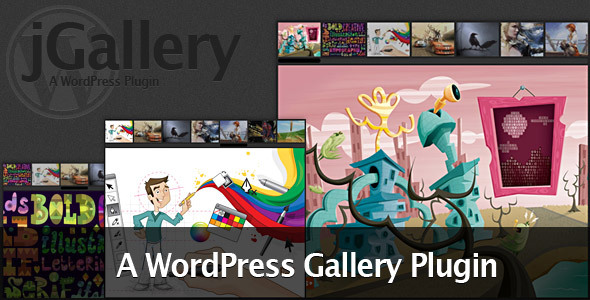
29. jGallery

jGallery


This WordPress Gallery Plugin gives you a simple and extremely customizable way to create a gallery on any post or page. You have the option to use widgets or shortcodes to insert your custom gallery into your web site. As well, the look of your gallery is fully customizable through the WordPress admin interface.

30. AJAX Contact Forms

AJAX Contact Forms


This is a jQuery based AJAX powered HTML / PHP contact form with Twitter Direct Messaging, easily integrated into WordPress via shortcodes and functions.

If that still doesn’t quench your awesomeness thirst, be sure to check out our sister-site, Web.Appstorm for fifty-eight more killer themes.

Ask about our free PC Check! Business Remedy is the leading Houston IT Support & Houston Managed Services provider here to help via the web (http://BusinessRemedy.net), email (info@BusinessRemedy.net), or phone (832-261-4113). We are standing by to help you with all of you Technology requirements.